Hotel Lobby AI Video Guide
Explore another AI video scene-planning guide.


Loading history…
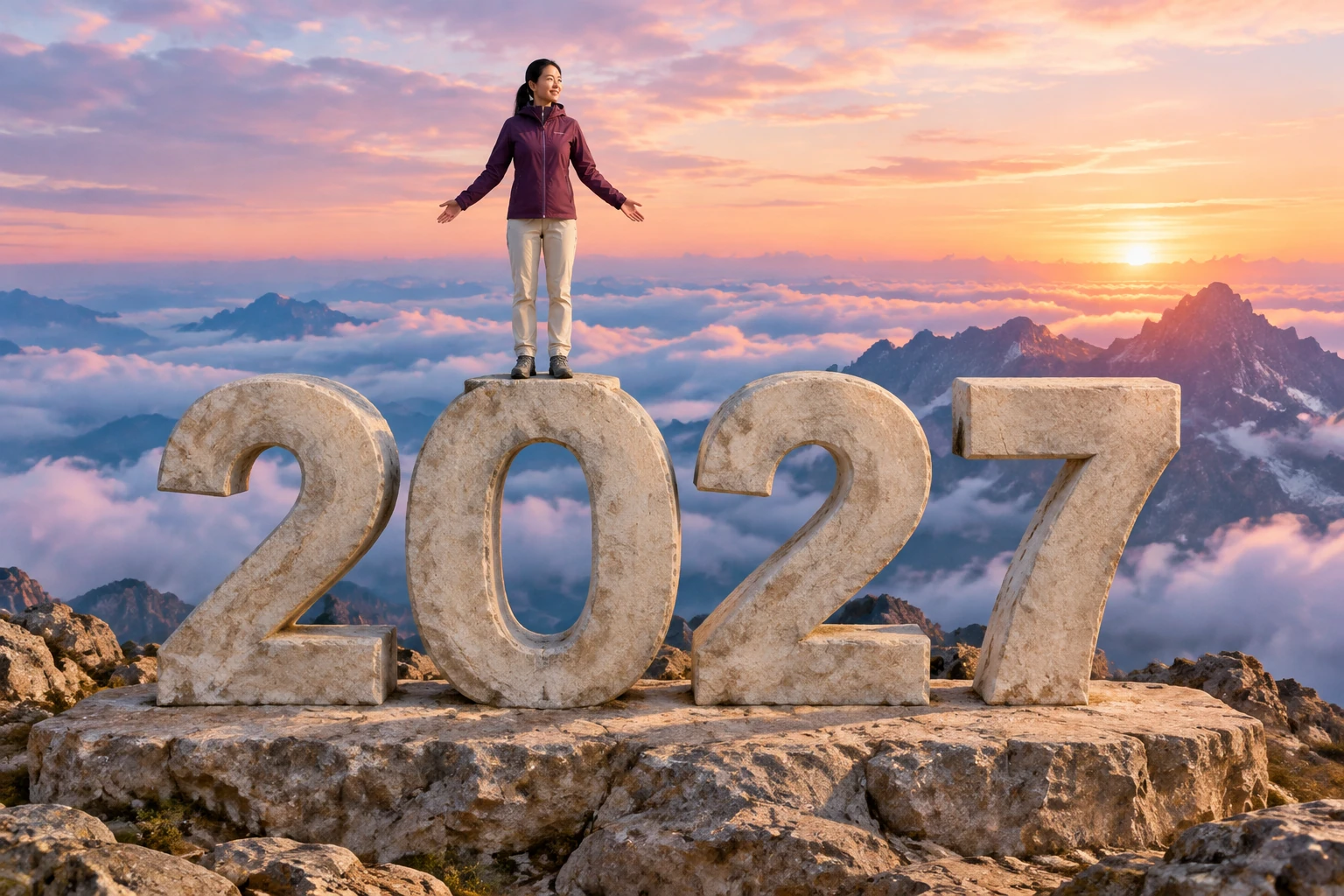
Build a personal Goodbye 2026 Welcome 2027 greeting idea from one clear adult portrait. The prepared direction places that person in a fictional sunrise summit scene, finishing a supported pull-up onto the stone 0 before the camera reveals the whole year. Optional notes may stay empty. Check the quote and review the face, support and year digits before sharing.
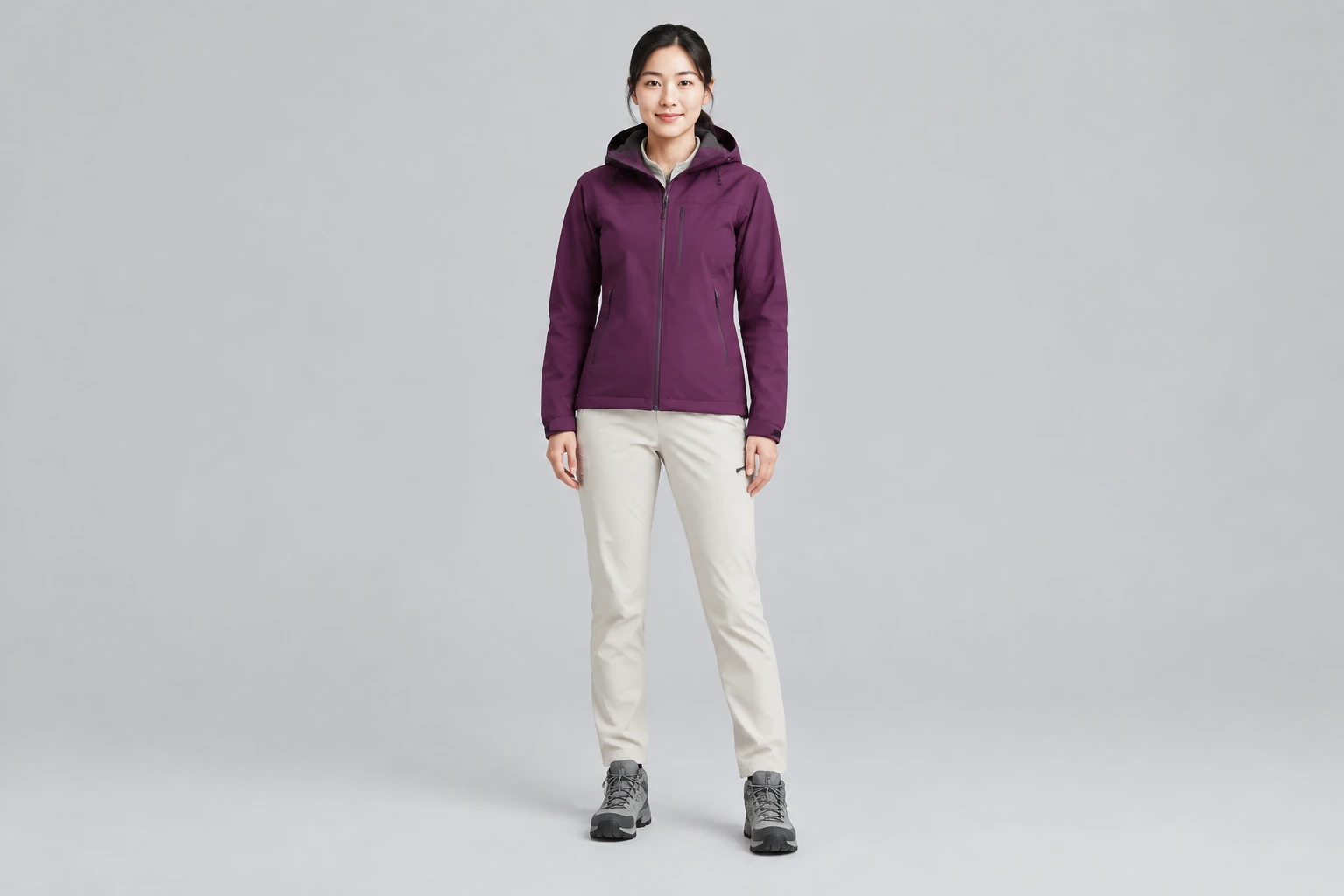
Use one photo with the person’s face, hair, and outfit easy to see. The workflow accepts one adult photo, not a second photo or uploaded video. The supplied portrait guides the person’s appearance; the fantastical mountain replaces the original background. Choose a portrait 9:16 option if it suits your intended sharing format, but it is not a format lock.
Optional scene or style notes may be empty. The written directions for this concept are already included in the generator, so you do not need to write a prompt or provide a motion-reference video. The scene is a fictional adult woman with East Asian appearance, long black hair tied back, a plum mountain jacket, cream hiking trousers, and gray boots on a sandy-gold summit at sunrise.
The requested model is Seedance 2.0, and the scene is planned for eight seconds. These are not a promise of exact output timing. Aspect ratios, resolution, audio, and required credits depend on the current model and account. Check the quote shown before selecting Generate; no fixed price or free allowance is assumed here.
Use History to check the request and its status; do not rely on a specific wait time. Review the ready result for face and outfit consistency, natural hands and feet, continuous support during the pull-up, the opening-arms finish, and a gentle reveal. Confirm the year reads 2-0-2-7. If generated digits vary, add an accurate greeting separately in an editor; editing is not represented as an integrated feature.
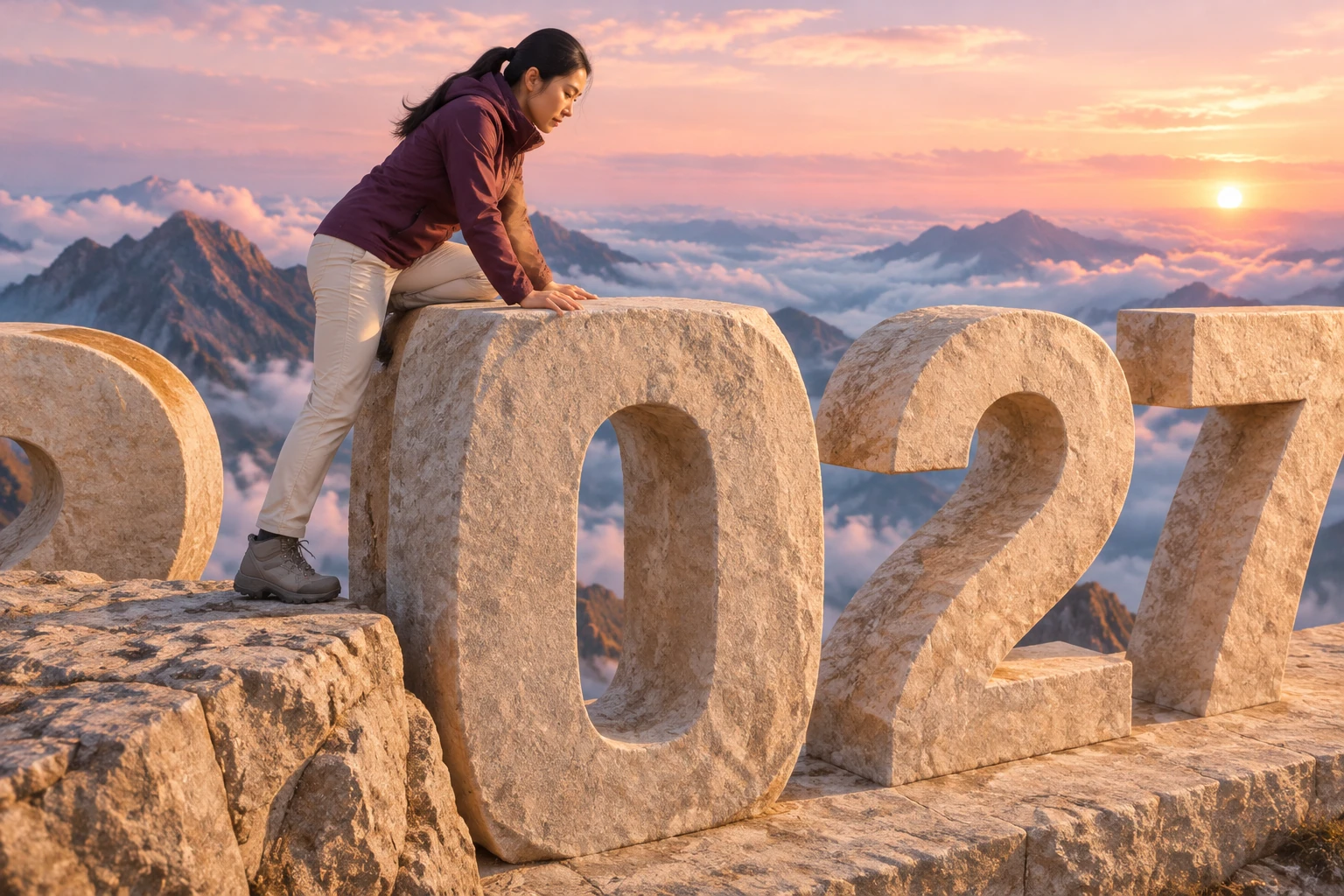
This Goodbye 2026 Welcome 2027 idea is a planned fictional greeting for the end of 2026 and start of 2027. Its adult character and summit action describe an intended scene, not a real climb, a filmed performance, or evidence of a tested generation. The story moves from the final short pull-up onto the 0 to a firm standing pose with open arms, followed by a gentle pull-back that reveals the full year above the clouds. Keep the support clear and continuous rather than showing the person dangling. These are creative scene directions, not real climbing instructions.
The current one-photo workflow uses one clear photo of one adult. The photo supplies the main person’s appearance, including face, hair, and outfit; optional scene or style notes can be left blank. A second photo, uploaded video, and locked built-in motion reference are not part of this workflow. Complete written scene instructions are already included in the generator. The described mountain, sunrise, stone numerals, movement, and camera reveal are a plan for the model to interpret, not guaranteed capabilities or a verified output.
Review the ready video at a size where the face, clothing, hands, boots, and stone geometry are easy to inspect. Check that the person remains supported through the pull-up, stands firmly before opening their arms, and is shown in one coherent shot with a gentle camera reveal. Read the digits in order: generated lettering and numbers can vary, so do not assume the year will be exact. If it is wrong or unclear, add an accurate greeting separately in an editor. The workflow does not promise integrated editing, automatic music, or an exact likeness. Audio availability and other output settings depend on the current model and account.
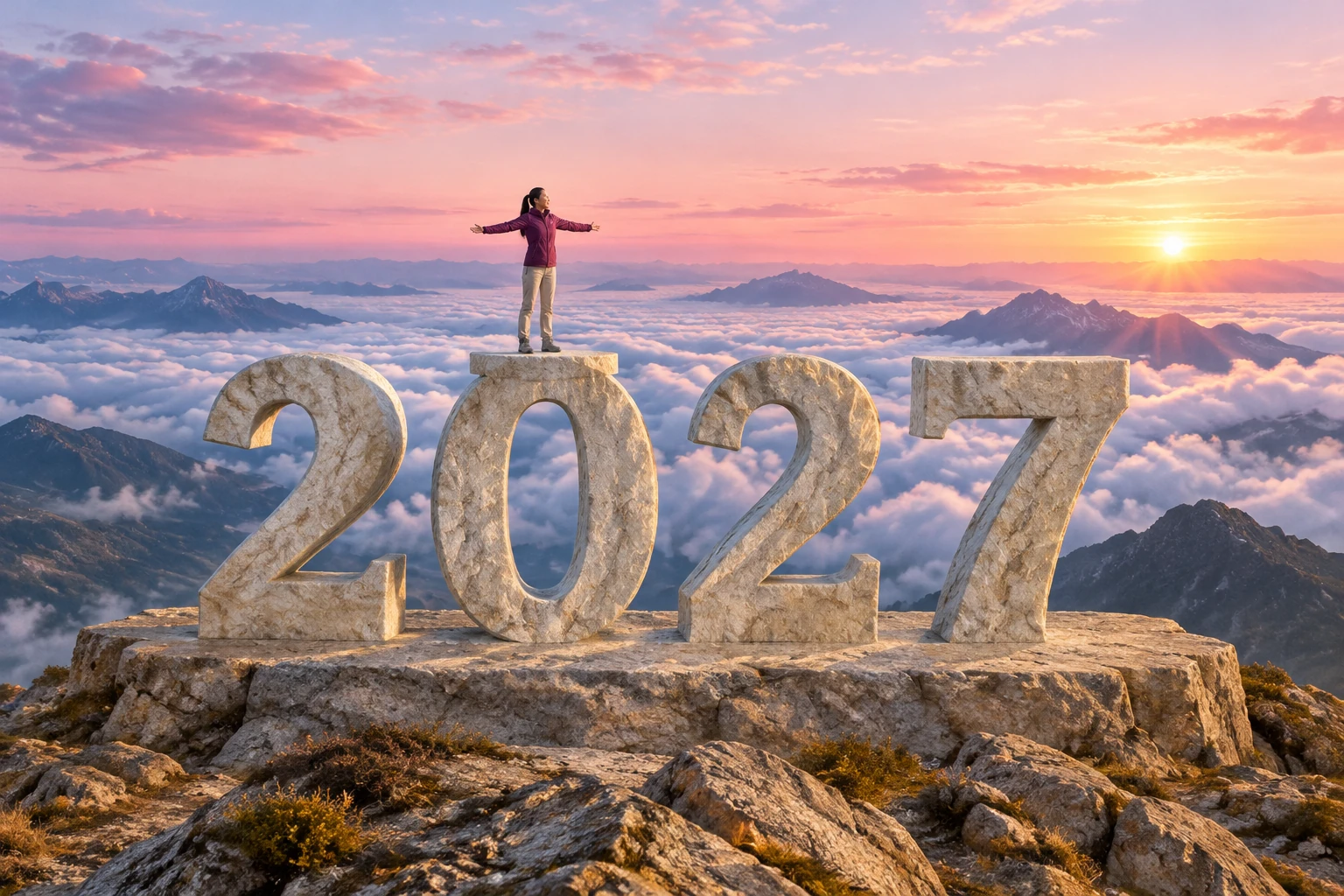
Choose an available aspect ratio that fits your intended destination; a portrait 9:16 option may suit a vertical greeting, but the guide does not lock the output to it. Check the live quote before generating because required credits, resolution, aspect ratios, and audio depend on the current model and account. Once ready, review the result before downloading or sharing, and decide whether its identity, year digits, and sound are appropriate for your audience. No fixed price, trial, free allowance, exact timing, or wait estimate is promised.
It is a fictional year-ahead greeting plan: an adult completes a short, supported pull-up onto the 0 in a stone 2027, stands with open arms, and is revealed above the clouds by a gentle camera pull-back. It is not a report of a real event or a confirmed model result.
Use one clear photo of one adult, with the face, hair, and outfit visible enough to guide the person’s appearance. This workflow does not call for a second photo. The scene directions replace the portrait’s original background with a fantastical mountain setting; an exact identity match is not guaranteed.
No. The workflow uses one adult photo, not uploaded video, and does not require a locked motion reference or a prompt from you. Complete written scene instructions are already included in the generator. The climb is fictional imagery, not an instruction to perform a real climb.
Eight seconds is the requested adaptation, not a guarantee of exact timing. Choose an available aspect ratio, such as portrait 9:16 if suitable; it is not locked. Current resolution, audio, and required credits depend on the model and account, so check the quote before Generate. No fixed price or free allowance is promised.
Track the request and its status in History. The guide does not promise a wait time or particular status schedule; check the page for the current information and review the result when it is ready.
Check the face and outfit, hands and feet, continuous support during the pull-up, the open-arms finish, the gentle reveal, and the digits in the correct 2-0-2-7 order. Generated numbers may vary, so add an accurate greeting separately in an editor if needed; editing is not represented as integrated. Confirm available audio and whether the result is suitable to share.
heypix.io · Updated