

A photo, a person, a personal message
Make a Mother’s Day Card from a Shared Photo
Describe your photo card and short greeting

History
Create a Mother’s Day card around a moment that means something to you. Upload one photo with Mom, Grandma or a mother figure in Image to Image, then describe the colors and short message. HeyPix creates a card-front image to review and download. You can also use Text to Image for a flower or memory-inspired design without a photograph.
From your photo to a card
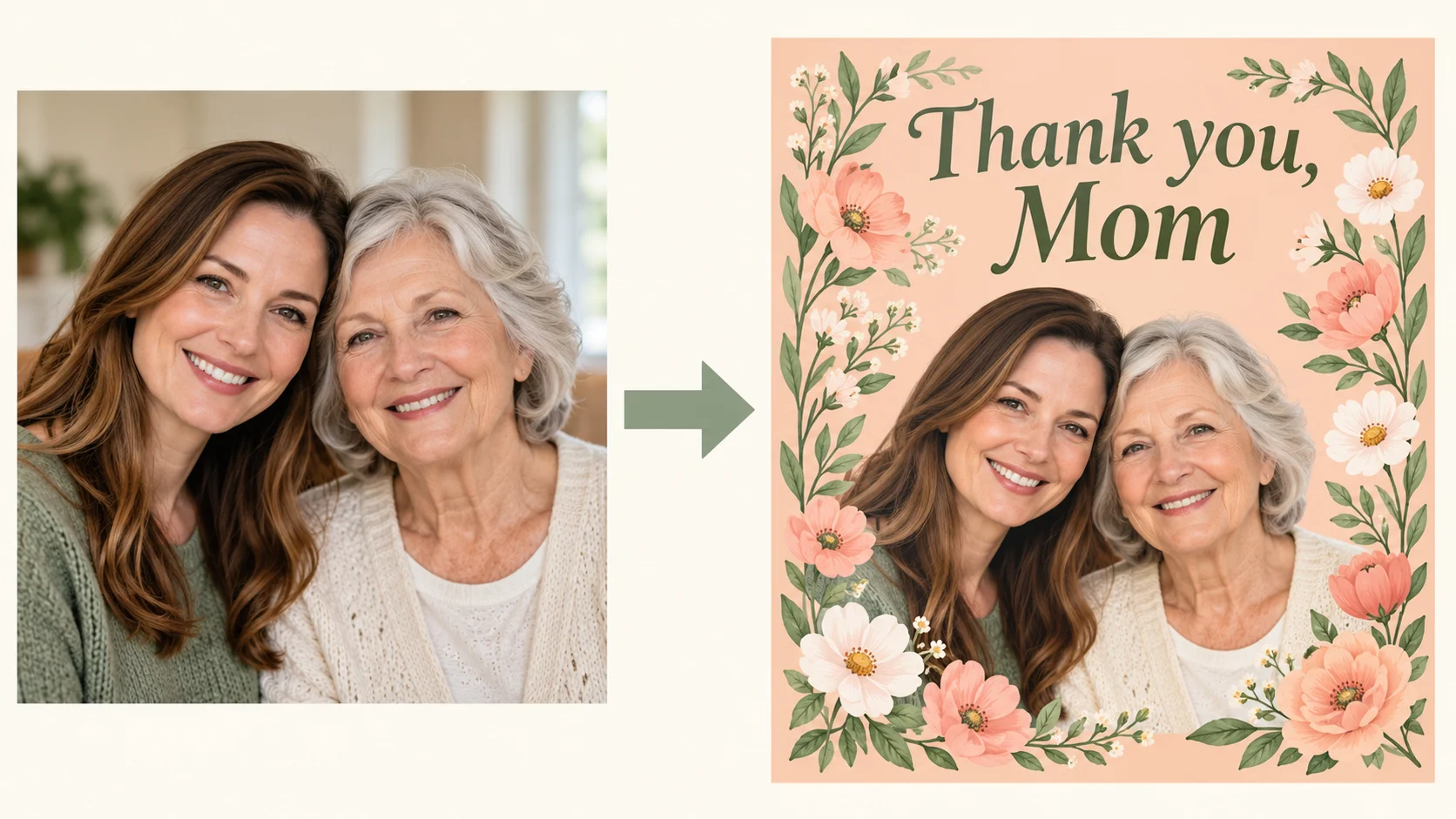
Choose the relationship and memory
Pick one shared photo and decide what you want to thank her for. A small, specific memory gives the card a clearer direction than a long list of generic compliments.
Describe a gentle visual style
Choose flowers, colors or an everyday setting that she likes. Ask to keep faces visible and to place decoration around the photo rather than across it.
Write a short personal greeting
Try Thank you, Mom, Love you, Grandma, or a brief phrase in your preferred language. Put the exact wording in quotation marks and ask for clear spacing.
Review before sharing
Read every letter and inspect each face. Check that the wording fits your relationship and the celebration you intend. Download the image when you are satisfied, or revise one instruction and review the next quote.
Choose a useful reference photo

Choose a single photo with clear faces and a comfortable pose. A mother-and-child, adult daughter-and-mother, or grandmother-and-family photo can all work as a starting point. Use a photo you have permission to share and preserve the original.
Make the card fit the person
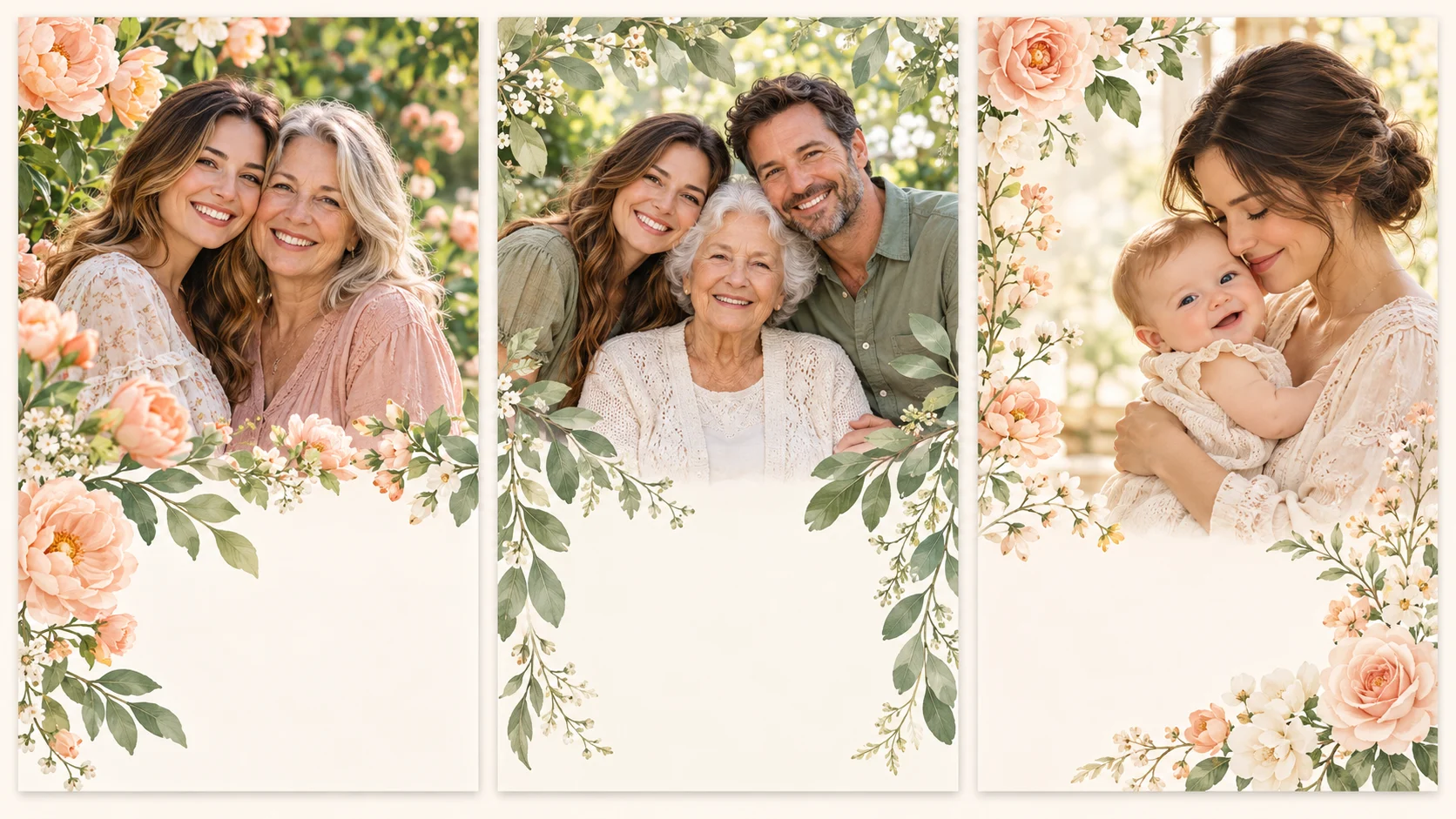
For Mom
Use a photo from an ordinary day you both remember. A familiar garden, color or small object can make the card feel personal without overwhelming the portrait.
For Grandma
Choose a family photo in which her face is easy to see. Keep the message large and brief so it remains readable when viewed on a phone.
For a first Mother’s Day
Use one existing parent-and-child photo. Ask for a calm composition and inspect both faces carefully; avoid relying on the model to invent an accurate family portrait.
A starting prompt you can adapt
Replace the sample greeting and describe the details that matter to you. Paste your version into the prompt field above.
Use the uploaded shared family photo as the reference. Create a flat Mother’s Day card front with a gentle peach and sage palette, delicate garden flowers and a clear natural view of the people. Keep the original relationship and group composition. Include only "Thank you, Mom" in a spacious area away from faces. No envelope, folded mockup, extra people or long text.
The best message is the one that fits your relationship. You can thank a mother figure without using a formal Mother’s Day greeting. Keep longer memories in the message you send alongside the downloaded image, leaving the card itself easy to read.
Questions before you create
Can I write the greeting in another language?
You can include a short greeting in your prompt, but image text may be imperfect in any language. Check the exact spelling and script before sharing. If it is not accurate, try a shorter line or add text separately in an editor.
Is it free to make a card?
Check your current account balance and the credit quote shown for the selected model and settings. Free eligibility, if available, follows your account’s current offer. Review Pricing before buying credits.
How long will my card take?
Timing varies with the selected model and current queue. After submission, follow the task status in History. This page does not promise a fixed completion time.
Can I edit the wording after generation?
The result is a flattened image, not an editable text-layer template. Revise the prompt and generate another version, or add or correct text in an image editor. Check the quote before generating again.
Can I download or print the card?
Download the completed image using the result controls. The page creates a card-front image, not a print-ready PDF or folded-card layout. Check its actual pixel dimensions and your printer’s requirements before printing.
More ways to make a personal card

Birthday Cards
Create a personalized birthday card from a portrait with HeyPix. Describe the recipient, mood and short greeting, review the image, and download your card.

Christmas Cards
Make personalized Christmas cards from one family photo. Explore festive settings, write a short greeting, review faces and text, and download a card image.
Create another image
Explore the general image workspace when your idea is not a greeting card.
heypix.io · Updated
What's new on this page
- — Added an image generator, visual examples and guidance for this creative task.